Creating an Alias
An Alias is een ‘synonym’ for an e-mail adress. When someone sends an e-mail to the alias, the mail will be sent to the exact same mailbox the alias was created for.
(Example: You create an alias [email protected] aan voor de gebruiker [email protected].
Mails sent to [email protected] will end up in the mailbox [email protected])
- Log on with the account for which you want to create an alias (mail.ipower.be)
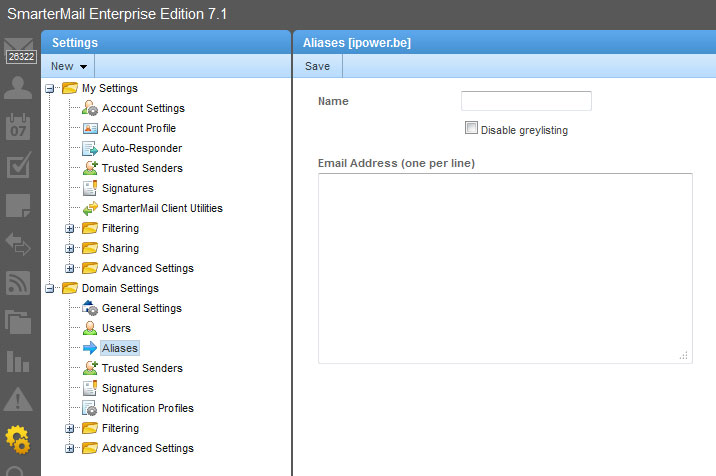
- Select in the menu Domainn Settings > Email Aliasses
- Click "Add Alias"
- Choose a names for your new alias.
- in the text area underneath you can enter one or more adresses link with the alias.
- Click "save"
From now on it is possible to send mails to the alias you just created. All mails sent to the alias will be sent to the mailbox(es) you linked with the alias.
Please remember that you can not logon with smartermail using the alias. It's also impossible to use the alias as username for an outlook email account
|